We have decided to switch our main printer from the almost 3-year-old Anycubic Vyper to the new Anycubic Kobra 2 Max as we would like to print some bigger parts at a decent speed while with good quality outer walls. The speed Vyper provides no longer satisfying us after we have the Bambu Lab X1C, but we are still using the Vyper simply because X1C never able to print a nice outer wall as Vyper could.
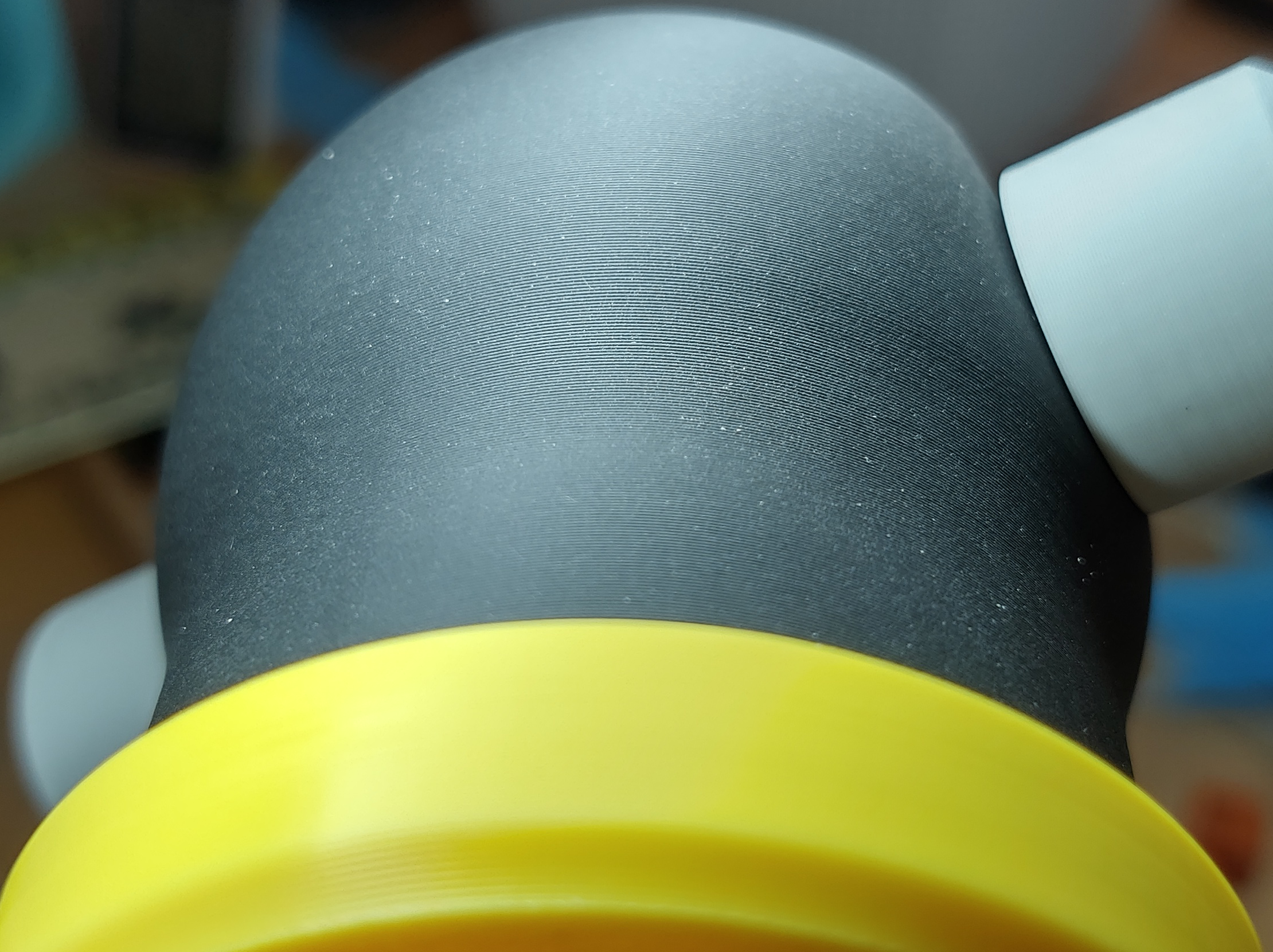
After we set up the Kobra 2 Max and spend a day doing calibration and testing, we are quite surprised at the outer wall quality coming out from this printer, layers lined up very well and very smooth. The following print is printed on 0.4mm nozzle, 0.2mm layer height, at 100mm/s outer wall and 200mm/s inner wall, 3000mm/s outer wall acceleration, 10000mm/s acceleration for others:
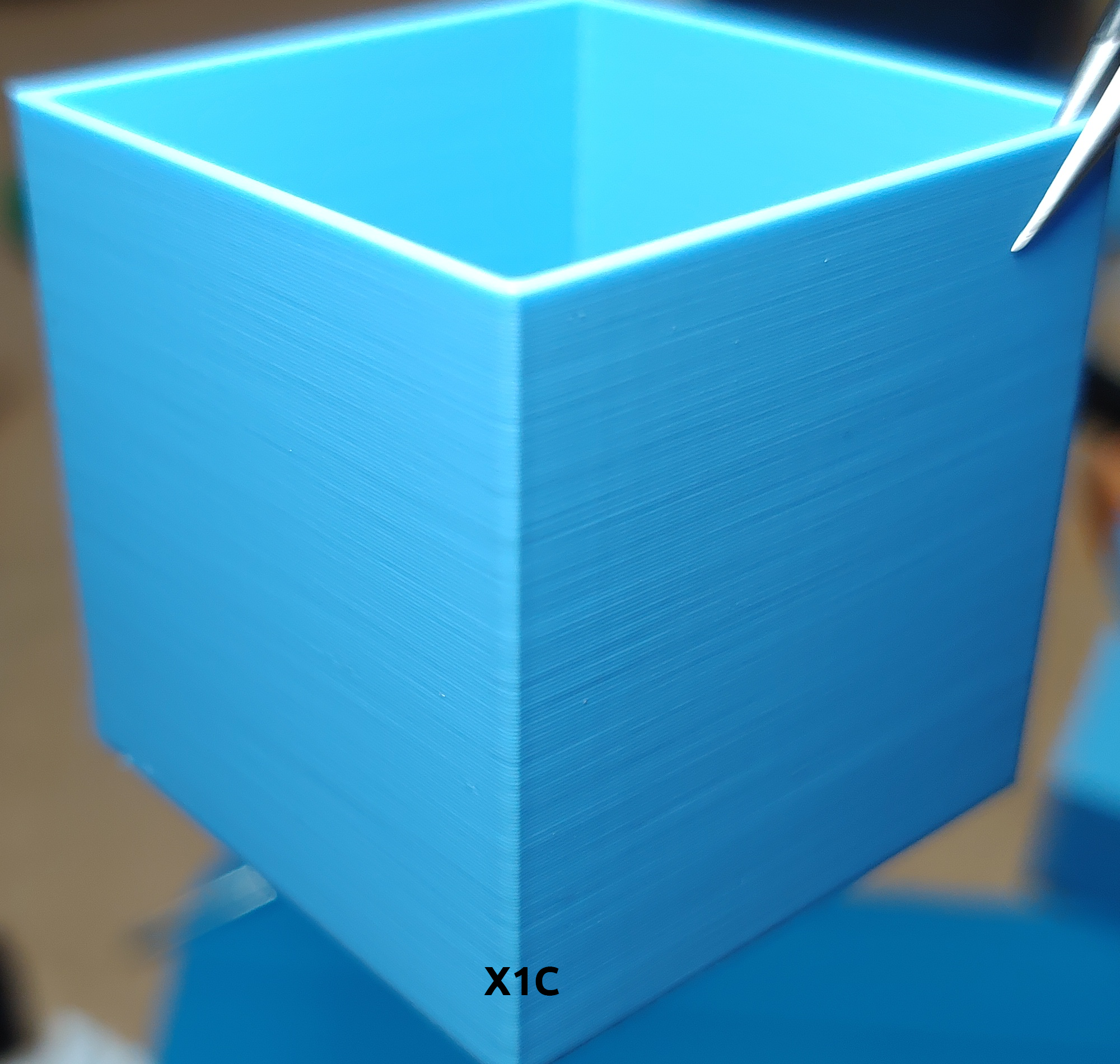
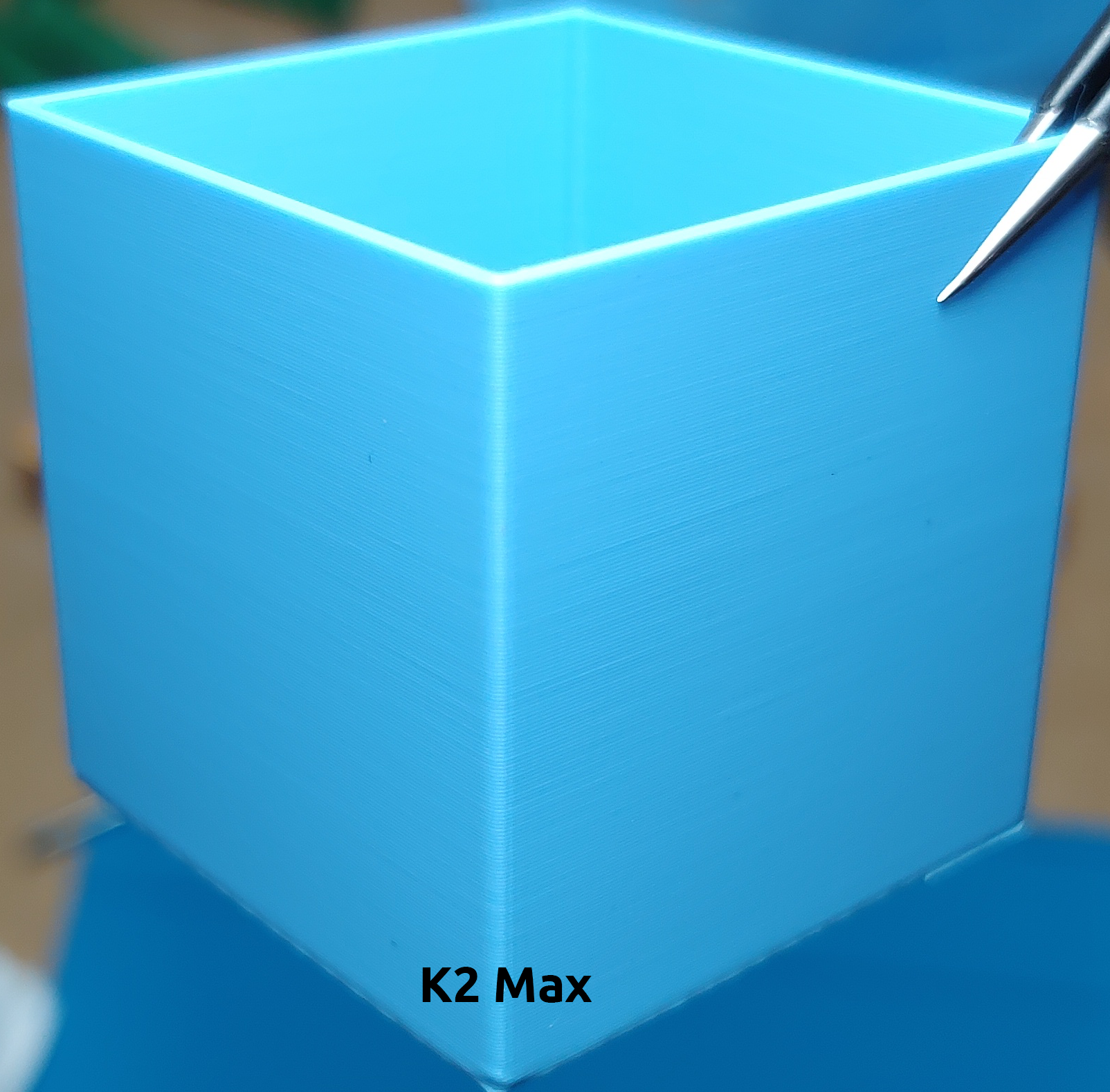
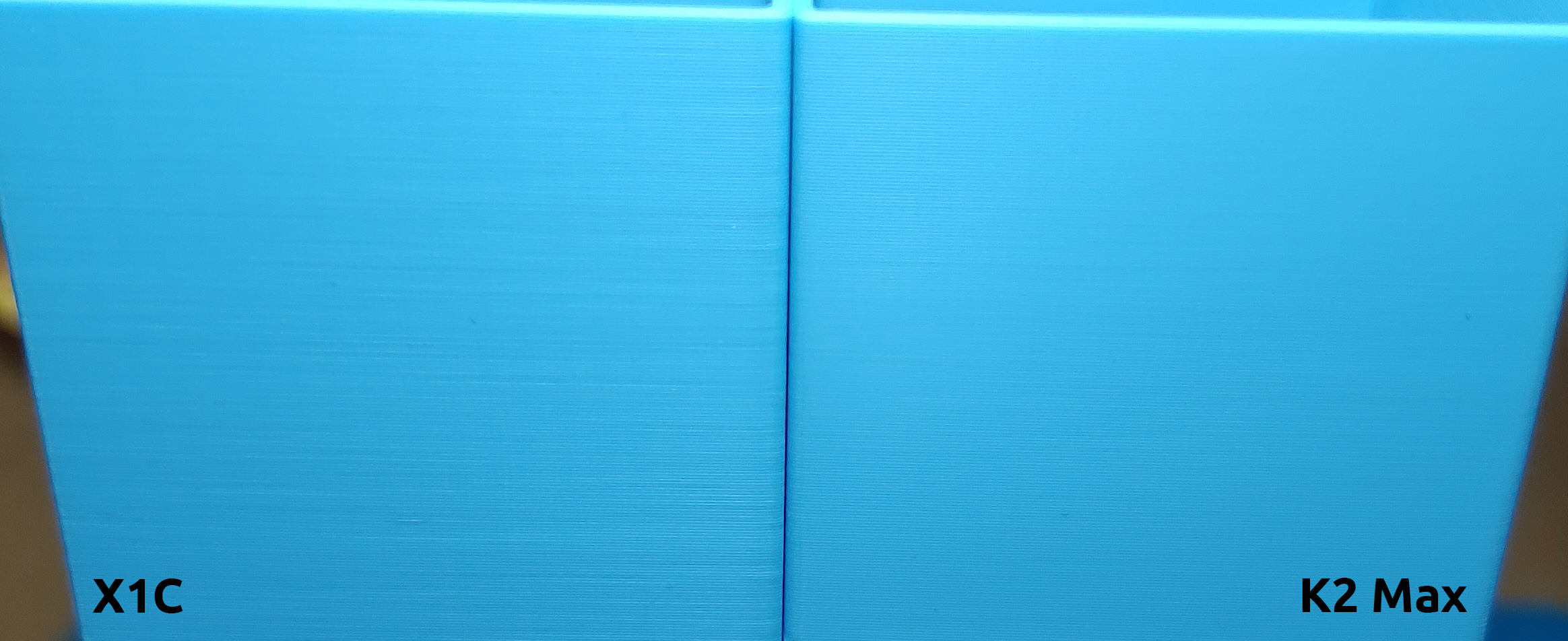
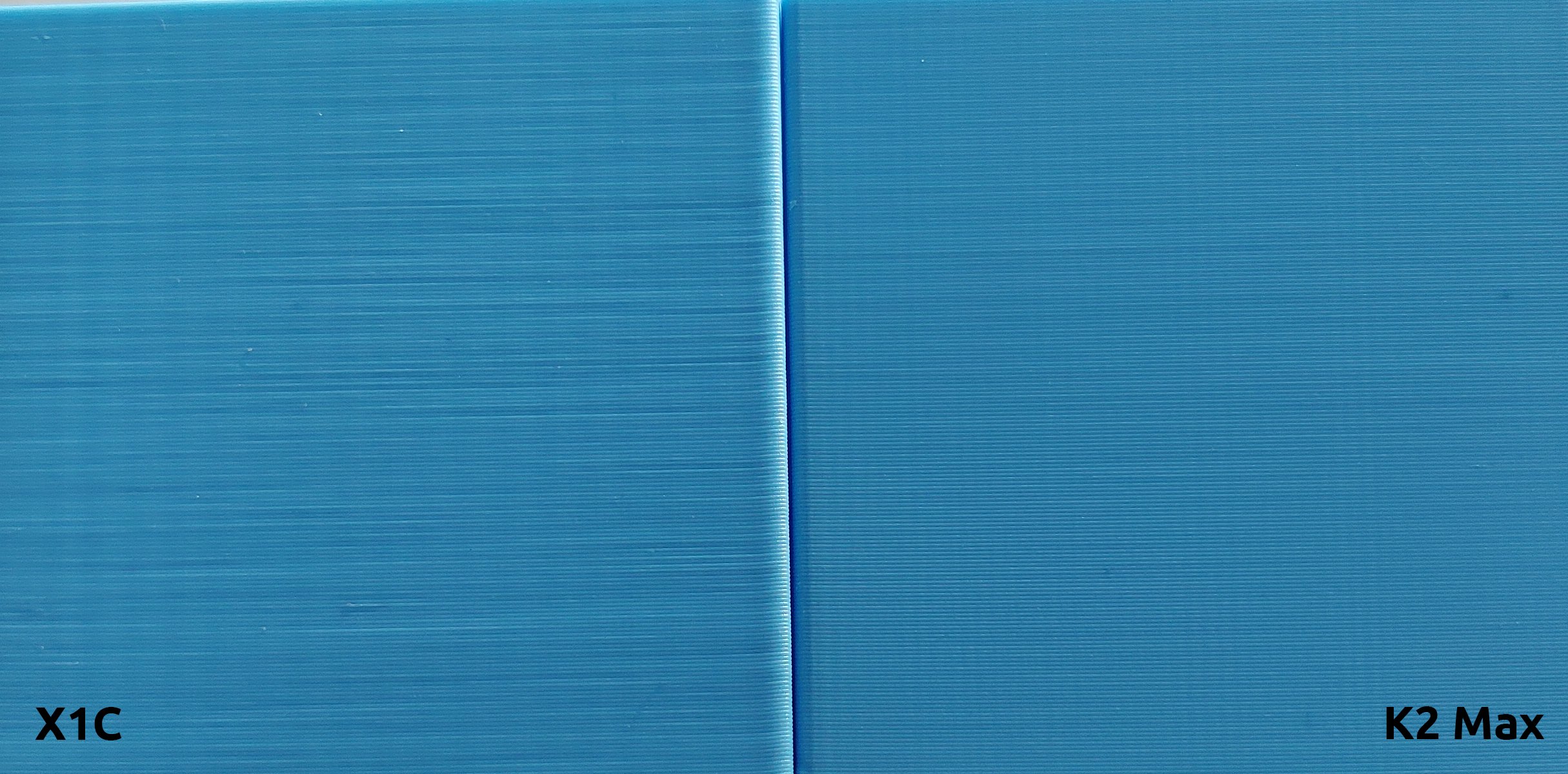
We also printed a hollow cube with 2 walls using the same filament on both X1C and K2 Max to compare the outer wall quality. Both cubes are printed on 0.4mm nozzle, 0.2mm layer height, at 100mm/s, acceleration 3000mm/s:
Improvements on Kobra 2 Max
There are already plenty of videos and discussions over the internet regarding the Kobra 2 Series printers. So here we just want to share a few things we found useful.
In-depth hardware insights
Kobra 2 Pro: https://1coderookie.github.io/Kobra2ProInsights/
Kobra 2 Plus: https://1coderookie.github.io/Kobra2PlusInsights/
Kobra 2 Max: https://1coderookie.github.io/Kobra2MaxInsights/
These are very useful as the Kobra 2 Pro/Plus/Max share the same hardware(just the frame size differences). It is worth reading through if you want to know the Kobra 2 better.
Few mods that we used on our Kobra 2 Max
- Bed cable restrain: https://www.printables.com/model/631204-anycubic-kobra-2-max-bed-cable-support-split-versi
- PEI sheet alignment: https://www.printables.com/model/645637-anycubic-kobra-2-max-snap-on-bed-sheet-aligners-v3
- Printer head cable chain: https://www.printables.com/model/728016-anycubic-spine-cable-chain-for-kobra-2-series-prin
- V-slot dust cover: https://www.printables.com/model/651270-anycubic-v-slot-dust-cover-kit-for-kobra-2-max-kob
- Damping feet: https://www.printables.com/model/405309-damping-feet-for-anycubic-kobra-max
Replace the PTFE tube in hotend
We found the end of the filament that was pulled out from the hotend has a much larger diameter and a "hook-like" shape that always get caught stuck at the extruder or the filament sensor. We took out the PTFE tube inside the hotend and found its inner diameter is 2mm that can expand over 2mm during pressure. We replaced the PTFE tube with our one that is 1.9mm inner diameter solved the problem(If you prefer Capricorn remember to buy the XS model). There is instructions in the hardware insights mentioned above(https://1coderookie.github.io/Kobra2ProInsights/hardware/printhead/#ptfe-inliner), but we cut our tube to 40mm instead of 41mm.
Start and End G-Code
We made few small changes to the default start and end g-codes as the default one drags the nozzle at very low Z across the PEI sheet, leaves a thin line of filament that is very hard to clear.
; Start G-Codes
G90                                 ; use absolute coordinates
M83                                 ; extruder relative mode
M140 S[first_layer_bed_temperature] ; set bed temp
M190 S[first_layer_bed_temperature] ; wait for bed temp
G28                                 ; move X/Y/Z to min endstops
G1 Z20                              ; nozzle to 20mm
G92 E0                              ; zero the extruded length
G1 X3 Y3 F6000                      ; move to 3 x 3
G1 Z2                               ; nozzle to 2mm
M104 S[first_layer_temperature]     ; set extruder temp
M109 S[first_layer_temperature]     ; wait for extruder temp
G1 Z0.28                            ; nozzle to 0.28mm
G1 E6 F500                          ; extrude 6mm
G1 X180 E25 F500                    ; extrude 25mm of filament in a 18cm line
G1 Z2                               ; nozzle to 2mm
G1 E-0.4 F3000                      ; retract 0.4mm
G92 E0                              ; zero the extruded length again
G1 X181 F4000                       ; quickly wipe away from the filament line
M117
; End G-Codes
{if max_layer_z < max_print_height}G1 Z{z_offset+min(max_layer_z+2, max_print_height)} F600 ; Move print head up{endif}
G1 X5 Y{print_bed_max[1]*0.85} F{travel_speed*60} ; present print
{if max_layer_z < max_print_height-10}G1 Z{z_offset+min(max_layer_z+70, max_print_height-10)} F600 ; Move print head further up{endif}
{if max_layer_z < max_print_height*0.6}G1 Z{max_print_height*0.6} F600 ; Move print head further up{endif}

G1 E-1 F3000                 ; retract 1mm
M140 S0                      ; turn off heatbed
M104 S0                      ; turn off temperature
M107                         ; turn off fan
M84                          ; disable stepper motors
Things we haven't worked out yet
- The seam is very obvious and also come with a blob. Solved by setting the "Wipe Distance" and "Retract amount before wipe", but not as good as Cura's "Outer Wall Wipe Distance".
- There are random stringing after we replace to hardened steel nozzle, although the retraction tower is perfect clean from retraction distance 0.3mm and up. Seems caused by the nozzle fan too strong. We turned it down to max 60%.
- 49 point bed leveling mesh seems not enough for this bed size, especially where the screws are. We wrote a new post regarding this: Tramming the bed of Kobra 2 Max
We will update this when we have more time to spend on the printer.
Regarding Our Bambu Lab X1C
We are not saying the Bambu Lab X1C is bad, it is still the easiest setup printer we ever had and the first fast-printing printer that actually works. Almost everything is automated on this machine that saves us lots of time from different calibrations. But we really don’t like the following things regarding the X1C:
- We are never able to print a smooth outer wall on the X1C, no matter printing at a high speed of 120mm/s or as low as 50mm/s, the layers just won’t line up. We wasted so much time on turning different slicing settings or physically checking every single screw/belt/positions etc on the machine, the result simply the same every time.
We also checked lots of user prints on Reddit and we believed that this is just the normal behavior of X1C. There are randomly posts on Reddit asking why the outer wall quality is such bad but it got downvoted or ignored.
The only occasions we had a print that “looks” perfect on the outer wall are using Carbon Fibre in-filled filaments, that is very good at hiding layer defects. But it is very easy to feel the bumpy surface by moving finger through layers.
- It is taking too much time and trouble to replace parts on the machine. Our X1C is one of the first batches from their Kickstarter fund raising. We had 2 heat bed replacements due to the bed force sensor problem. It is not a easy job to replace the heat bed(or the sensor cable) due to the all-in-one design that everything packed and tight.
Now the bed force sensor error is showing up again which we no longer wish to waste time on it. We just leave it and try our luck wishing there is only 1 of the 3 sensors showing error and the printer will continue its printing job, otherwise just send the print job again and let the printer shake itself during the initial printing routine that might fix one of the sensors.
Once we fully tuned in the Kobra 2 Max(when we have time) we think the only occasion we need to use the X1C will be multicolor printing, that we haven’t used much due to the filament and time wastes. The original AMS design is not that perfect, the new AMS-Mini with 4 inputs printer head is a much better solution but it lacks a sealed box. Sadly AnkerMake failed with their multicolor AMS clone, but with the release of Kobra 3 in May, that equipped a sealed 4 filament slots box has built-in drying(heated) function and 4 outputs to a 4 inputs printer head, we might no longer need the X1C anymore :-P